Smart Gallery Organizer

Bring back lightness to your gallery in one swipe

Feel the freedom: PhotoGO's smart AI assistant carefully organizes your media library, preserving your most valuable memories and freeing up space for new bright moments.

★★★★★
4.9 / 5
User Rating
⚡⚡⚡⚡⚡
30+ GB
Average Space Saved
9:41
100%
👆

PhotoGO

Free 1.2 GB of 256 GB 99% used

Available Plans

Get PhotoGO Premium

Unlock all advanced duplicate search and video compression algorithms directly in the iOS app.

Premium 1 Week

For a quick general cleanup

$4.99 / wk
  • Search similar photos & videos
  • Delete screenshots in seconds
  • Full on-device processing
Get on App Store
POPULAR

Premium 1 Year

For long-term order on all devices

$29.99 / yr
  • All Premium features included
  • Compress heavy videos with zero quality loss
  • Regular updates and new features
Get on App Store

Premium Lifetime

Pay once, keep forever

$59.99 / once
  • All Premium features included forever
  • No recurring fees or subscriptions
  • Priority support & future updates
Get on App Store
Quick Start

Only 3 simple steps to free memory

Clean up your gallery faster than your morning coffee brews.

01

Download PhotoGO

Install the app from the App Store on your iPhone. It is completely secure and takes minimal storage.

02

Scan Gallery

Our smart AI assistant finds duplicates, screenshots, and heavy files in your gallery in under 10 seconds.

03

Free Up Space

Delete garbage with a simple swipe up. Increase your free disk space safely and enjoyably!

0 MB

Freed in demo

15M+

Files deleted worldwide

100%

On-device processing

30+ GB

Average space saved

Video Compression

Compress heavy videos up to 10x with zero quality loss

Heavy 4K videos consume the most space. PhotoGO reduces their size while preserving every visual detail.

Original Size 1.2 GB
Size after compression 120 MB
100%

Compare image quality

Drag the slider to see the difference. The compressed file is 10 times smaller, but the quality remains identical to the original!

Compressed simulation Compressed (120 MB)
Original high quality Original (1.2 GB)
Smart Features

How PhotoGO saves your phone's storage

No boring routines. Cleaning your library is now as easy as swiping through a feed with real app workflows.

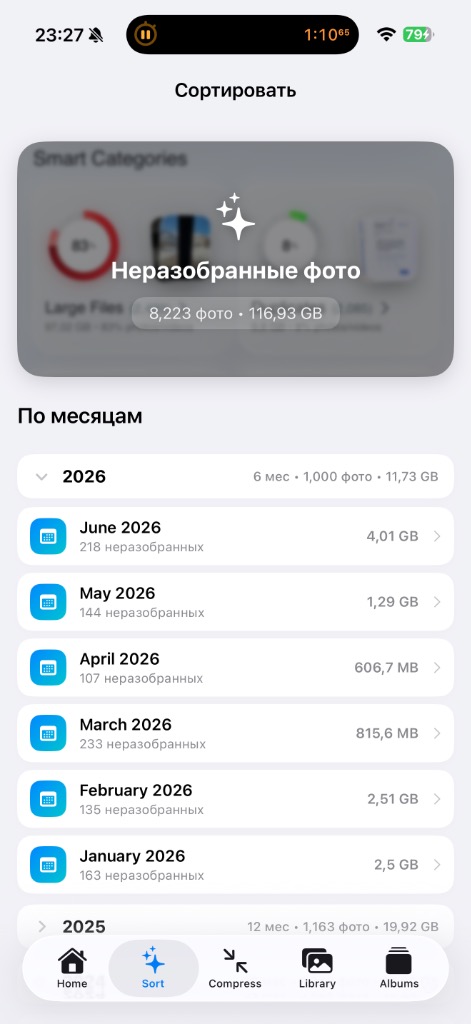
Sort by month
Smart Categories & Sort

Organize by months and years

PhotoGO automatically scans your gallery and groups unsorted media files into temporal folders. You can instantly see how much space each month consumes and clean up old archives systematically.

  • Apple Photo Library integration
  • Exact folder size calculation (in GB & MB)
  • "Unsorted" group for quick management
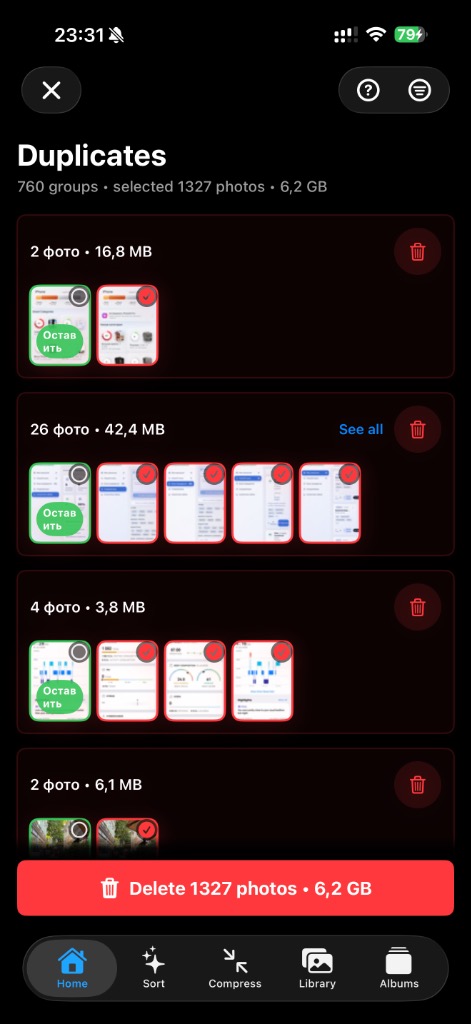
Duplicate Finder
Duplicate Finder

Delete similar photos in one click

The app scans for identical or near-duplicate frames, groups them together, and dynamically recommends keeping the sharpest image. Reclaim gigabytes of duplicate files in seconds.

  • Group duplicates by size & details
  • AI-suggested best photo recommendation
  • Reclaim gigabytes with one simple click
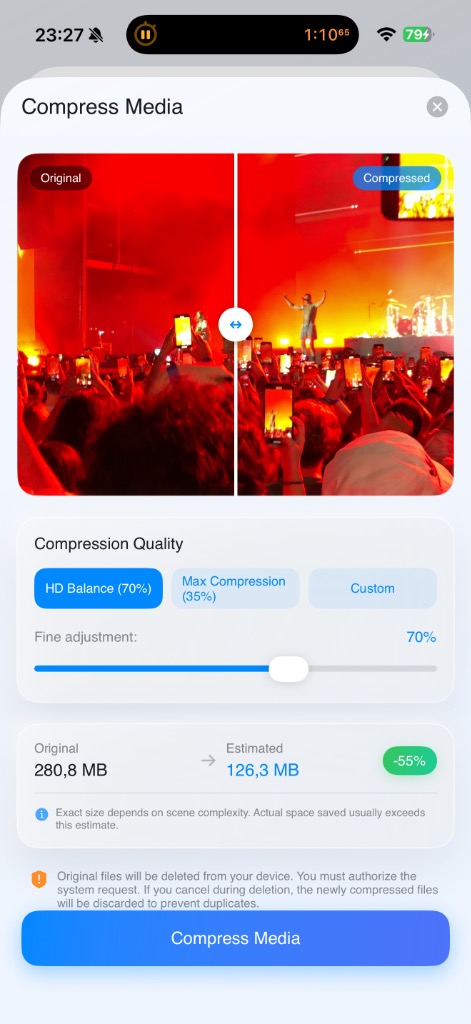
Media Compression
Smart Compression

Compress photos and videos with zero quality loss

Large 4K videos and Live Photos consume the most storage. Compress them with our HD Balance (70%) or Max Compression (35%) presets. The quality remains pristine while file sizes shrink up to 10x.

  • Interactive "Before / After" comparison slider
  • Accurate estimated savings calculation
  • Automatic original deletion after compression
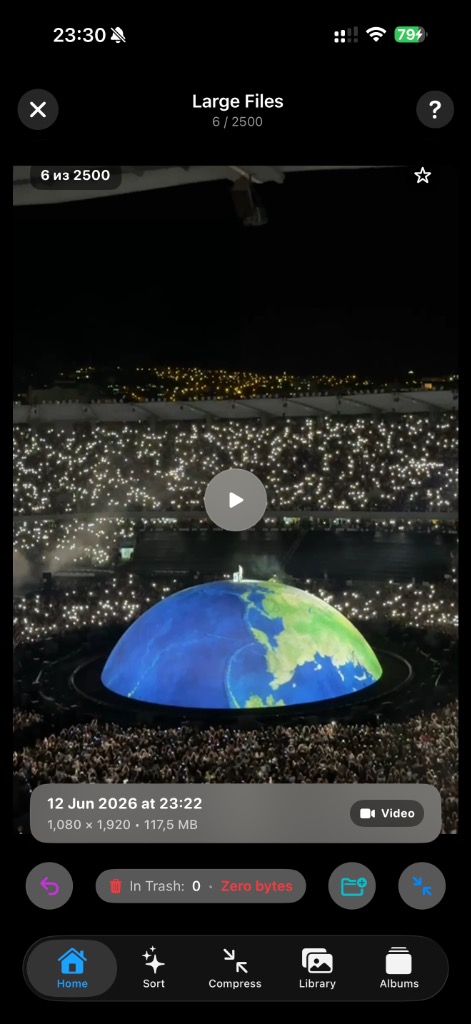
Heavy media
Heavy Media Files

Isolate and review large videos

The heavy video manager displays a sorted list of the largest files. Play, delete directly to system trash, or compress on the spot to save up to 90% of file size.

  • Sorted list from heaviest to lightest
  • Built-in media player for instant preview
  • Direct transfer to Apple Photos system trash
User Reviews

What users say about PhotoGO

Hundreds of users have already freed up space. Ratings and reviews from the App Store.

4.9
★★★★★
out of 5 • 1.2K+ ratings
5 ★
4 ★
3 ★
2 ★
1 ★
Lifesaver for my iPhone storage!
★★★★★
Alina Voronova June 12, 2026

"I had about 20,000 photos, my phone was constantly running out of space, and manual cleanup was exhausting. With PhotoGO, I wiped out over 40 GB of garbage in a couple of evenings during my commute! Swiping is extremely satisfying."

Easy license checkout on the site
★★★★★
Dmitry K. May 5, 2026

"Excellent app. Was wondering how to easily get premium, and checking out on the site was seamless. Paid, opened the app, logged in, and all premium features unlocked immediately. Highly recommended!"

Fast, simple and secure
★★★★★
Michael Smirnov May 18, 2026

"Best gallery cleaner I've tried. It doesn't upload photos to any external servers, everything is scanned locally on the device in seconds. The UI is very stylish and responsive."

Frequently Asked Questions

Answering your questions

Everything you need to know about security, activation, and PhotoGO features.

Is the app safe for my personal photos?
Yes, absolutely. PhotoGO is built with privacy as our core priority. All scanning, sorting, duplicate detection, and media compression processes run strictly locally on your iPhone. The app integrates only with official Apple frameworks and APIs (Apple Photos Framework). Your photos and videos are never uploaded to any servers and remain 100% on your device, even without an internet connection.
How do I buy and activate the Premium version?
You can purchase the license securely right on our site or through the App Store. Once payment is complete, download the PhotoGO app from the App Store, navigate to the activation screen, and log in using the exact same email address you entered during the checkout. Your Premium will unlock instantly.
How does video compression work without losing quality?
PhotoGO utilizes advanced native iOS media codecs that analyze video frames to compress high-bitrate 4K files, removing unnecessary visual redundancy. It significantly reduces file size (up to 90% space savings) while keeping the visual fidelity identical to the human eye.
Are there any free features available?
Yes! Scanning your media library, dividing photos into smart categories (duplicates, blurry shots, screenshots, heavy videos), and manual sorting by months are completely free to use. Premium features are only required for batch (automatic) compression and fast one-tap deletion of large duplicates groups.
Which operating systems and devices are supported?
PhotoGO is designed specifically for iOS and is compatible with iPhone models running iOS 15.0 and above. It fully supports and adapts to all modern iPhone displays, including the iPhone 16 range.

Sign In

Use the same Email as in the app to sync your premium status.

Forgot password?

By signing in or signing up, you agree to our Privacy Policy and accept the Terms of Service (EULA).

Personal Cabinet

email@domain.com

Current Subscription

Free Plan Not Active

Referral Program

Share the link with a friend: they will get a discount, and you will get 14 days of Premium access for each sign-up by your code.

0 Invited friends
0 days Bonus days

Payment History (SBP)

No payments yet